

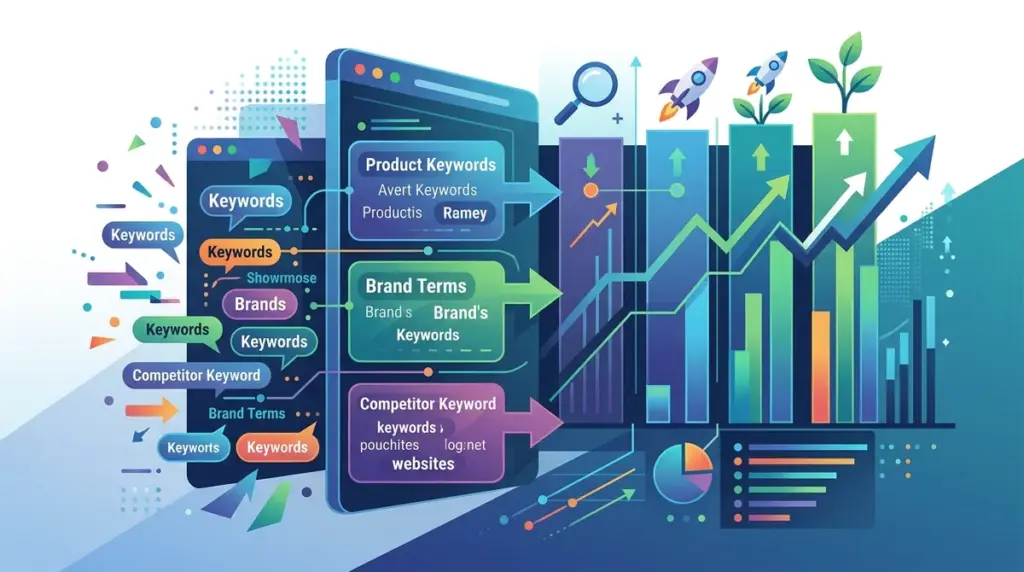
Monitoring a flat list of 1,000 keywords is a strategic error that leads to data noise and missed opportunities. When SEO data is unorganized, a 5% drop in overall visibility might hide a 20% surge in high-value transactional terms or a total collapse of a specific product category. For agencies and in-house teams, keyword grouping is the only way to transform a raw ranking feed into a diagnostic tool that informs budget allocation and content strategy.
Effective rank monitoring requires segmenting keywords into logical buckets that mirror your business goals, site architecture, and the user’s journey. Without this structure, you cannot accurately report on ROI or identify which specific SEO tactics are driving growth.
Organizing by Search Intent and Funnel Stage
The most fundamental way to group keywords is by the user’s intent. Search engines treat informational queries differently than transactional ones, and your monitoring should reflect that. By tagging keywords based on their place in the marketing funnel, you can set realistic KPIs for each segment.
Informational (Top of Funnel): These are "how-to" or "what is" queries. Success here is measured by traffic volume and brand awareness. Grouping these allows you to see if your top-of-funnel content strategy is building the necessary authority to support bottom-of-funnel conversions.
Commercial Investigation (Middle of Funnel): Keywords like "best," "top-rated," or "vs" indicate a user comparing options. Monitoring this group specifically helps you understand your competitive positioning against direct rivals in the marketplace.
Transactional (Bottom of Funnel): These are high-intent terms like "buy," "pricing," or "demo." This is your most valuable group. A minor fluctuation here has a direct impact on revenue, making it the highest priority for daily monitoring and immediate troubleshooting.
Segmenting by Product Category and Site Architecture
Your rank tracking should mirror your website’s directory structure. If you run an e-commerce site selling electronics, tracking "laptops" and "headphones" in the same bucket provides no actionable insight. By creating groups that align with your product silos, you can pinpoint exactly which departments are underperforming.
- Category Level: Broad terms that define a product line (e.g., "Men's Running Shoes").
- Sub-Category Level: More specific iterations (e.g., "Waterproof Trail Running Shoes").
- Brand-Specific: Grouping your own brand terms separately from non-branded terms to prevent brand equity from masking poor performance in competitive non-branded categories.
This level of granularity allows you to report to specific stakeholders. A category manager for "Laptops" only cares about the data relevant to their inventory. Providing them with a filtered view of their specific keyword group makes the SEO data commercially useful for inventory and promotional planning.
Technical and Strategic Tagging
Beyond intent and category, keywords should be grouped by their strategic value or technical characteristics. This helps in prioritizing resources and managing client expectations.
High-Volume Trophy Terms
Every account has 10 to 20 keywords that drive the majority of high-level visibility. These "trophy terms" are often the most competitive and slowest to move. By isolating them into their own group, you can monitor the intense volatility associated with high-competition SERPs without skewing the data for the rest of your campaign.
Long-Tail Conversion Drivers
Conversely, long-tail keywords often have lower individual volume but higher collective conversion rates. Grouping these allows you to demonstrate the "power of the long tail" to stakeholders who might otherwise be obsessed with the lack of movement on trophy terms. It proves that the strategy is working at scale, even if the primary head terms are stagnant.
Pro Tip: Implement "Striking Distance" groups. Tag keywords currently ranking in positions 11 through 20. These are your highest-leverage opportunities; small optimizations to these specific pages can result in a move to page one, providing the fastest possible ROI on your labor.
Geographic and Device-Specific Segmentation
If your business operates in multiple regions or relies heavily on local foot traffic, grouping by geography is non-negotiable. SERPs vary significantly by location. A keyword that ranks #2 in New York might rank #12 in Los Angeles due to local competitors or different user behavior patterns.
Similarly, device-specific grouping is essential for identifying technical issues. If your "Mobile" keyword group shows a downward trend while "Desktop" remains stable, you likely have a mobile usability issue, a Core Web Vitals problem, or an aggressive mobile-only competitor. Separating these data sets prevents one device's performance from diluting the reality of the other.
Dynamic Tagging vs. Static Grouping
Static grouping involves manually assigning a tag to a keyword. While precise, it is difficult to scale. Advanced rank monitoring involves dynamic tagging based on URL patterns or keyword strings. For example, any keyword that contains the word "price" can be automatically funneled into a "Commercial Intent" group. Any keyword where the ranking URL contains "/blog/" can be tagged as "Informational."
Best for: Large-scale enterprises or publishers managing tens of thousands of keywords where manual tagging is a logistical impossibility.
Actionable Steps for Data Organization
To move from a disorganized list to a high-functioning monitoring system, follow this sequence: First, audit your current keyword list and remove "vanity" terms that have zero search volume or relevance to your current business goals. Second, define your primary categories based on your site's navigation menu. Third, apply intent tags (Informational, Transactional) to every keyword to ensure you aren't misjudging the value of your traffic.
Finally, set up automated alerts for your most critical groups. You don't need an alert for every minor shift in an informational blog post, but you absolutely need a notification if your "Transactional" group drops by more than three positions on average. This allows you to spend less time digging through spreadsheets and more time executing on the data.
Frequently Asked Questions
How many keywords should be in a single group?
There is no hard limit, but groups are most effective when they represent a specific theme or business unit. A group of 50 highly related keywords is more actionable than a group of 500 loosely related ones. If a group becomes too large, look for sub-categories to further refine the data.
Should a keyword belong to more than one group?
Yes. A keyword like "best waterproof hiking boots" should be in the "Commercial Intent" group, the "Footwear" category group, and perhaps a "High Priority" group. Multi-tagging allows you to slice the data from different angles depending on who is viewing the report.
How often should I update my keyword groups?
Review your groupings quarterly. As you launch new products, retire old services, or shift your marketing focus, your keyword groups must evolve. Stale groups lead to reporting on metrics that no longer matter to the business's bottom line.
What is the benefit of grouping by SERP features?
Grouping keywords that trigger specific SERP features, like Featured Snippets or Local Packs, allows you to track your "pixel height" on the page. If you lose a Featured Snippet, your rank might still be #1, but your click-through rate will plummet. Grouping helps you monitor these visual shifts.